Investigating Attendance Data Discrepancies
Trace differences through source records, schedules, and approved corrections
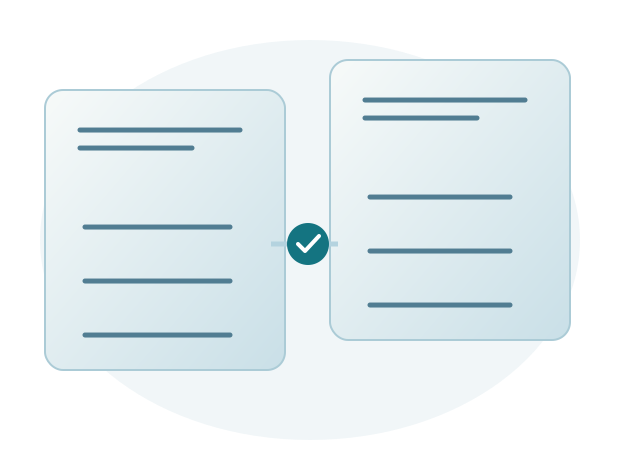
An attendance discrepancy is a difference between the records or results being compared. The cause may involve source data, the period, the schedule, or a correction that has not been processed. A structured review helps HR identify the cause before changing data.
Compare equivalent information
Use the same employee, date, and data range. A report that includes corrections will not necessarily match unprocessed device records.
Describe the difference specifically, such as a missing departure time on a particular date. Saying that attendance is wrong is not enough to determine what to check.
Check source records and synchronization completeness
Confirm that employee numbers are read correctly, source timestamps are accurate, and records have reached the application. Where several devices or locations are involved, check the source used for that assignment.
If the record is still only on the attendance device, the administrator investigates transmission or synchronization. If it has reached the application but the report uses an old shift, HR checks the schedule change. Record what you find so support knows where to investigate.
Check schedules and assignment changes
Shift swaps, location changes, and assignments crossing dates can affect how results are interpreted. Use the schedule for the relevant date, not just the employee's current schedule.
Confirm changes with an authorized person. There is no need to correct source records if the actual problem is an outdated schedule reference.
Process corrections and check the final result
If a correction is needed, follow company procedures with a clear reason and supporting information. Once it is approved and processed, check the report that will be used next.
Sigma helps users investigate attendance issues in Sigma HRIS and Forte HRIS. Assistance focuses on finding and resolving the cause, not just changing the displayed figures.
Choose the action based on the cause
Example: incomplete attendance from one location
HR finds arrival records but no departure times for several employees at the same location. Before asking everyone to submit corrections, check whether all data from that location's device has arrived. A shared location and time can narrow the investigation, although the cause still needs confirmation.
If the source is complete, continue checking employee numbers, time ranges, and schedules. Record each finding so the next team does not repeat the same checks. This makes communication with users and support more efficient because the necessary information is already available.
Close the investigation after confirming the result
Reimporting data or approving a correction does not necessarily resolve the issue. HR needs to review the results used in reports and subsequent processes. If the period has already been processed for payroll, coordinate the next steps with the responsible person so changes are not made without review.
When requesting help with Sigma HRIS or Forte HRIS, send an employee example, date, schedule, source records, and the report result that differs. Include the checks already performed. Support uses this information to investigate and help resolve the cause; HR then checks the results to be used in reports or payroll.