Cloud HRIS vs On Premises
Understand management, access, and cost differences between cloud HRIS and your own servers
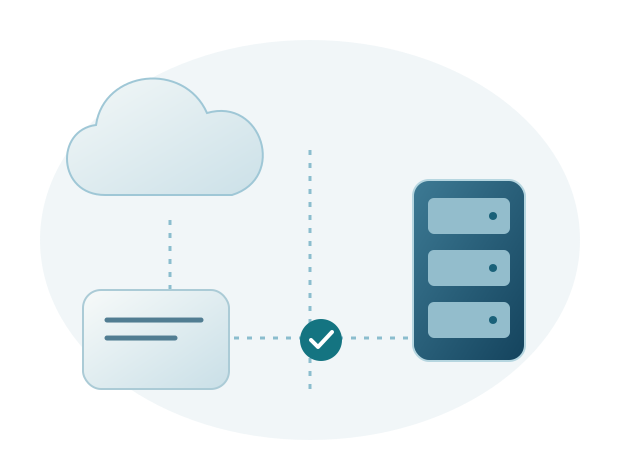
Cloud and on premises HRIS mainly differ in where the system runs and who manages it. A suitable choice takes account of IT policies, team readiness, access requirements, and costs throughout use.
Cloud use without preparing your own application server
With cloud HRIS, users access the application over the internet. The provider manages servers and the application within the agreed package. The company still prepares devices, internet connectivity, user accounts, and employee access permissions.
Forte HRIS is a cloud based HRIS application. Ask which maintenance, backup, and incident handling services are included. For branch access, explain the number of locations and how users connect so connectivity and assistance requirements can be discussed early.
On premises requires a prepared company environment
On premises means the application is deployed in the company's server environment. It may suit a company with the policies and team to manage that environment. Discuss servers, networking, maintenance, and recovery with IT.
Sigma HRIS is available for on premises deployment. Application and infrastructure management need clearly divided responsibilities. An access problem, for example, may involve the application, network, or server. Assign investigation responsibilities so users are not left waiting between different parties.
Compare responsibilities, not just server locations
Use the same checklist for both options: environment provision, updates, backups, recovery, branch access, and user assistance. Ask who handles each item and what the company must prepare. Server location alone does not explain service quality.
Security and reliable operation depend on configuration and management, not automatically on a cloud or on premises label. Avoid assuming one is always safer or cheaper. Examine specific requirements and services.
Match deployment to your HRIS plans
Sigma HRIS also supports private cloud, while Forte HRIS offers cloud use. The Sigma team discusses options based on HR processes and IT policies. Payroll, attendance, ESS, and integration requirements are still reviewed against the modules in use.
Both products come with structured implementation, training, and support until issues are resolved. Regular development based on customer feedback helps maintain application quality. To benefit from HRIS, the company also needs organized data and users who know how to work with the application.
Choosing cloud or on premises with HR and IT
Use an example involving head office and branch access
Imagine a head office and several branches. Head office users review all locations, while branches handle only their assigned employees. When evaluating the environment, ask how access is provided, who helps if connectivity fails, and how users continue work under company procedures.
Browser access is not the same as cloud. An application on a company server can also be accessed through a browser, depending on network settings. Conversely, cloud use still requires connectivity and sound account management. Understanding this lets HR explain usage needs without designing the technical architecture. IT can assess how to provide access within company policy.
Review plans for a system outage
Ask about backup schedules, recovery testing, and the contact providing incident updates. Explain operational requirements, such as when data must be available before payroll. Compare these with the recovery times and assistance included in the service. Record the temporary procedure users will follow while the system is unavailable.
The Sigma team discusses Sigma HRIS and Forte HRIS around HR needs and environment readiness. Clear responsibilities make investigations more focused. Application support continues after implementation, coordinating with infrastructure administrators when needed. The deployment choice therefore stays connected to the continuity of users' work.
Further reading: Microsoft's explanation of shared responsibility in the cloud